mod_jitsi — Jitsi Meet for Moodle
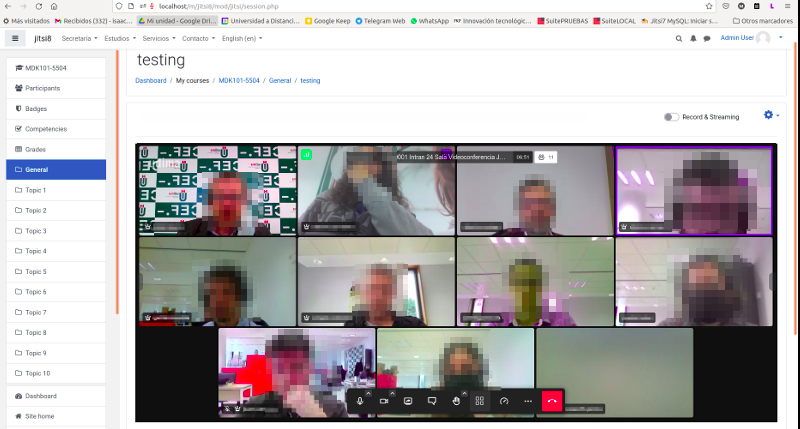
mod_jitsi integrates Jitsi Meet videoconferencing into Moodle. Teachers create webconference activities like any other activity; students join with one click — no installs, no external accounts.
At a glance
- Current version: v5.1.0 · Maturity: Stable · Licence: GPL v3
- Requires: Moodle 4.5 or newer
- Plugin page: moodle.org/plugins/mod_jitsi · Source: github.com/SergioComeron/moodle-mod_jitsi
You need a Jitsi server
To use the plugin in production you need a Jitsi server. The plugin supports three options:
-
GCP auto-managed
The plugin provisions and manages a complete Jitsi server (including Jibri recording and AI features) in Google Cloud Platform automatically. A Google Cloud account with billing enabled is all you need — no manual server setup. The simplest way to a fully-featured setup.
-
JaaS (8x8)
Hosted service, free up to 25 monthly active users. No infrastructure required.
-
Self-hosted
Your own Jitsi Meet server, with full control and JWT authentication.
About the public server
The public server at meet.jit.si can be used for quick testing, but it restricts
sessions to 5 minutes and is not suitable for production.
Features
- Schedule webconferences in your course
- Activity completion tracking (conditions based on time attended)
- Unlimited participants (limited mainly by your server's bandwidth)
- Moodle profile pictures used as the avatar in the conference
- Guest URLs for users in other courses or outside Moodle
- Private 1-on-1 sessions — call any coursemate directly from their Moodle profile, with call history and instant notification
- HD audio/video, simultaneous screen sharing, tile view, breakout rooms, chat, polls, virtual backgrounds
- YouTube video sharing — pause, rewind and comment videos with all your students
- Full moderation control to silence or remove students (token-based mode recommended)
- YouTube streaming and automatic recording publishing in your course
- Dropbox recording with automatic or manual link publishing
- JaaS (8x8) cloud recordings captured automatically (download available, expires after 24 h)
- Attendance report — per-activity report with time-on-session per student, recording view tracking and access log (requires mod_jitsi Account)
- Recording view tracking and a viewing heatmap showing which parts of each recording were watched, and by what fraction of students (requires mod_jitsi Account)
- Course overview — aggregated dashboard of all Jitsi activities in a course (requires mod_jitsi Account)
Next steps
-
What you need before installing.
-
Install the plugin in your Moodle.
-
Create your first Jitsi activity.