From README to a bilingual documentation site with MkDocs Material
ContenidoContents
The Jitsi plugin for Moodle I maintain, mod_jitsi, had all of its documentation in one place: the README.md. And it wasn’t just any README — it was over 600 lines covering installation, server options (GCP, JaaS, self-hosted), JWT mode, recordings, attendance, permissions… A good README, but a README nonetheless.
The problem with a long README is that it doesn’t scale as documentation. Nobody reads 600 lines top to bottom on GitHub. There’s no search. No sidebar navigation. No clean way to link to “the JWT configuration section”. And if you want to translate it, you end up with two giant files that drift out of sync the moment you touch them.
So I decided to build a real documentation site, with search, navigation, light/dark mode and two languages. Here’s what I used and why.
Why MkDocs Material
I considered three options: Docusaurus, Hugo (which I already use for this blog) and MkDocs.
- Docusaurus is powerful but drags in the whole React/Node ecosystem. For docs that are basically Markdown, it felt like using a sledgehammer to crack a nut.
- Hugo I know well, but building a decent documentation theme with search and i18n from scratch is real work.
- MkDocs with the Material theme gives you, almost out of the box: client-side search, sidebar navigation, per-page table of contents, automatic light/dark mode, code highlighting with a copy button, and a design that already looks professional without touching a line of CSS.
For technical documentation, MkDocs Material is the short path. It wins on simplicity: you write Markdown and you’re done.
The skeleton
It installs in a Python virtual environment and little else:
1python3 -m venv .venv
2source .venv/bin/activate
3pip install mkdocs-material mkdocs-static-i18n
The minimal structure is an mkdocs.yml and a docs/ folder with your Markdown:
jitsi-docs/
├── mkdocs.yml
└── docs/
    ├── index.md
    ├── getting-started/
    │   ├── requirements.md
    │   └── installation.md
    └── ...
And the mkdocs.yml with the theme essentials:
 1site_name: mod_jitsi Documentation
 2theme:
 3  name: material
 4  palette:
 5    - media: "(prefers-color-scheme)"
 6      toggle: { icon: material/brightness-auto, name: Switch to light mode }
 7    - media: "(prefers-color-scheme: light)"
 8      scheme: default
 9      toggle: { icon: material/brightness-7, name: Switch to dark mode }
10    - media: "(prefers-color-scheme: dark)"
11      scheme: slate
12      toggle: { icon: material/brightness-4, name: Switch to system preference }
13  features:
14    - navigation.sections
15    - navigation.indexes
16    - search.suggest
17    - content.code.copy
That alone gives you a site with search, a three-state theme toggle (auto/light/dark) and a copy button on every code block. mkdocs serve spins it up locally so you see changes as you save.
What the README already did for me
Here’s the upside of having had a long README: it was already almost the documentation. I didn’t start from zero. I split those 600 lines into topic pages (requirements, installation, quick start, server options, JWT, recordings, attendance, moderation, permissions…) and pulled content straight from the plugin’s code along the way: the settings come from settings.php, the permissions from db/access.php (15 mod/jitsi:* capabilities).
The takeaway: if you maintain an open source project, a good README is a double investment. It serves on GitHub and it’s the raw material for your docs site the day you decide to build one.
Bilingual without duplicating the project
I wanted English (it’s a moodle.org plugin, international audience) and Spanish. The mkdocs-static-i18n plugin solves this elegantly with the suffix structure: for each page you have the base file and a variant with the language suffix.
docs/
├── index.md        ← English (default language)
├── index.es.md     ← Spanish
├── getting-started/
│   ├── installation.md
│   └── installation.es.md
And in mkdocs.yml:
 1plugins:
 2  - search
 3  - i18n:
 4      docs_structure: suffix
 5      languages:
 6        - locale: en
 7          default: true
 8          name: English
 9          build: true
10        - locale: es
11          name: Español
12          build: true
13          nav_translations:
14            Getting started: Primeros pasos
15            Installation: Instalación
16            Configuration: Configuración
nav_translations is the detail that makes the difference: it translates the sidebar labels without you having to duplicate the navigation structure. The result is English at the root (/jitsi/docs/) and Spanish at /jitsi/docs/es/, with a language picker in the header.
The trick: serving it under a subpath of an existing site
I didn’t want a new subdomain (docs.…) or separate hosting. The docs belong to a plugin that already has its landing at sergiocomeron.com/jitsi/, so the logical thing was to hang the docs underneath, at sergiocomeron.com/jitsi/docs/.
MkDocs makes that easy with two lines:
1site_url: https://sergiocomeron.com/jitsi/docs/
2site_dir: /opt/homebrew/var/www/sergiocomeron/jitsi/docs
site_dir points straight at the Apache docroot, inside the main site’s folder but without touching the jitsi/index.html landing. Building is literally:
1mkdocs build --strict
I wrapped it in a one-line build-docs.sh and that’s it: I edit the .md files, run the script, and Apache serves the new version instantly. No pipeline, no deploy anywhere. The generated output goes in .gitignore (what’s versioned is the source in docs/).
The snag I hit: the CSP
My site serves a blocking-mode Content-Security-Policy. When I published the docs, Material’s search didn’t work: in the console, Refused to create a worker. Material runs the search indexing in a web worker loaded from a blob:, and my CSP didn’t allow it.
The fix was adding a directive to the CSP:
worker-src 'self' blob:;
It’s the classic detail that only shows up when you integrate a third-party tool into a site you’ve already hardened. If your CSP is permissive you won’t notice; if it’s in blocking mode, write it down.
The result
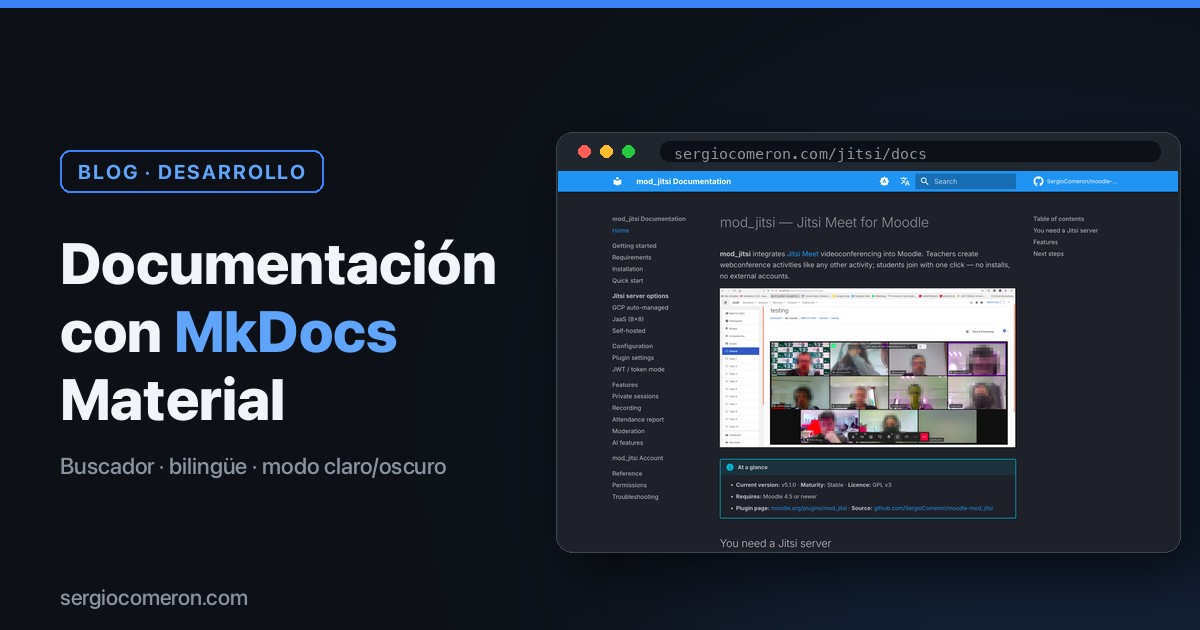
sergiocomeron.com/jitsi/docs/ — a documentation site with search, navigation, light/dark mode and two languages, generated from the same Markdown I maintain in the plugin’s repository, and served from the same Mac mini that serves everything else. Zero cost, zero external services.
Best of all: updating the docs is now editing a .md and running a script. What used to be scrolling through a 600-line README is now a site you search, navigate and link to. And if the plugin grows someday, the documentation grows with it without becoming a wall of text.
If you maintain an open source project and your documentation lives in a README that no longer fits inside itself, MkDocs Material is an afternoon well spent.