How I know what gets read on my blog without Google Analytics or cookies
ContenidoContents
The most-read post on this blog is the one about how I self-host on a Mac mini. I know that for sure. And I know it without Google Analytics, without a single cookie and without handing my readers’ data to an analytics company.
I know it because I built this site’s analytics myself, and it fits in a twenty-line beacon, a text file and a dashboard only I see. That is what this post is about.
Why not Google Analytics
Adding Google Analytics is pasting a <script> and forgetting about it. But in exchange:
- You hand your visitors’ data to Google. Everyone who visits your site ends up on the servers of an advertising company. It is not your analytics: it is theirs, and they let you look.
- You need a cookie banner. Because it tracks with cookies, and that, in Europe, requires consent. More friction, more pop-ups, more people who say no and vanish from your numbers.
- It is heavy. Hundreds of kilobytes of third-party JavaScript loading on every page — the opposite of what a fast, self-hosted site is after.
I do not need to know anyone’s mouse trail or chase people around the internet. I just want to know what gets read and where it comes from. And that takes very little.
The idea: a twenty-line beacon
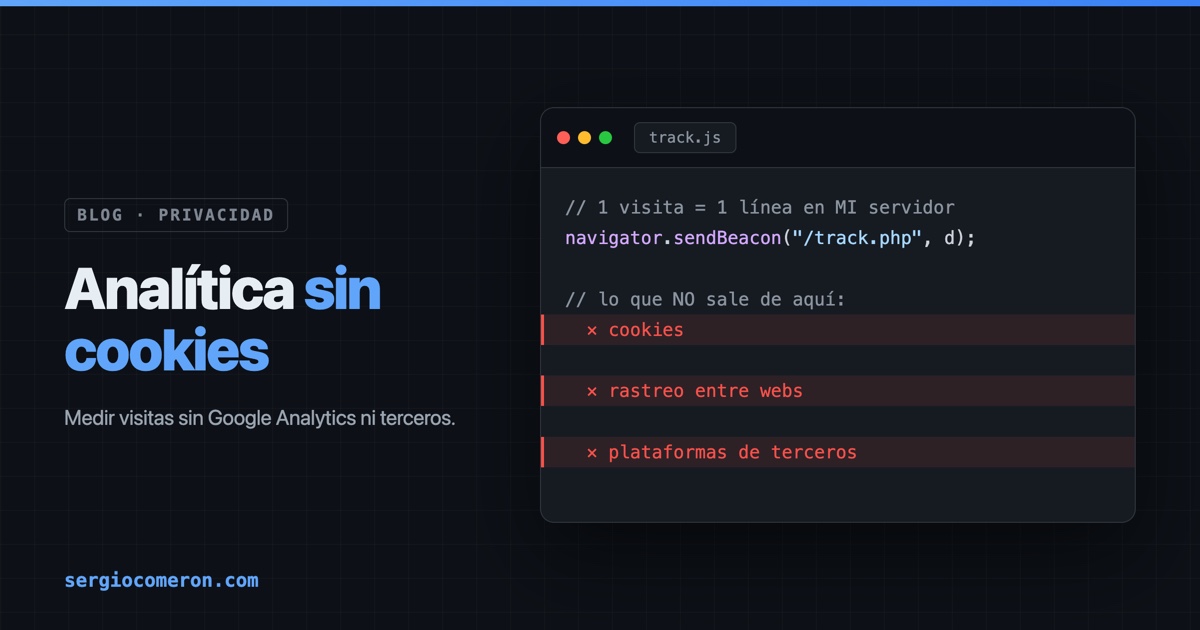
On every page of the site there is a snippet of JavaScript that, on load, sends a ping to my own endpoint:
1if (navigator.sendBeacon) {
2    var d = new URLSearchParams();
3    d.set('path', location.pathname);
4    d.set('title', document.title.slice(0, 140));
5    d.set('ref', document.referrer || '');
6    navigator.sendBeacon('/track.php', d);
7}
The key piece is navigator.sendBeacon. It is not a regular fetch: it was made exactly for this. It does not block navigation and the browser guarantees delivery even if the user closes the tab that very instant. You send the data and move on; you do not wait for a response.
What travels is minimal: the path, the title and where the visit came from. Nothing else.
The endpoint: one line of text per visit
On the other side there is a PHP file under a hundred lines. For each ping, it appends one JSON line to a .jsonl file:
1{"ts":"2026-06-14T08:30:00Z","path":"/blog/posts/self-hosting-cloudflare-mac-mini/",
2 "slug":"self-hosting-cloudflare-mac-mini","title":"Self-hosting without fear…",
3 "os":"macOS","browser":"Safari","device":"Desktop","origin":"Google","country":"ES"}
Before writing that line, the endpoint:
- Infers OS, browser and device from the
User-Agent(no libraries, fourmatcharms). - Classifies where the visit comes from using the
referrer: Google, direct, LinkedIn, Hacker News… whatever it is. - Gets the country from a header Cloudflare already adds (
CF-IPCountry): just the two-letter code, never the IP. - Extracts the post slug from the URL itself, so it can group by article later.
And, above all, what it does not do.
What the beacon does not store
This is the difference that matters to me. And I am talking about the beacon, the analytics of what gets read:
- It does not store your IP. It reduces it to a hash with a fixed salt, twelve characters. Enough to estimate the day’s unique visitors, but not reversible: there is not a single IP in the analytics file, only that hash.
- It does not use cookies. No persistent identifier, no following you across sessions or across sites. With no tracking cookies, no consent banner is needed.
- It is not handed to a third-party platform. The data leaves the browser, enters my server and stays in a file of mine. It goes through no external analytics service.
And now the honest part, because it is worth not overselling: this does not mean the site sees no IP at all. The web server, like every server on earth, logs visits in its access logs, and the IP does live there — in fact I have a panel that shows me the most frequent ones. But that is a different layer: I use it for operations and security (spotting abuse, bots, odd spikes), not to know which article you read. And Cloudflare, sitting in front as a CDN, also sees the traffic; that is actually where I get the country code from.
That is the distinction: the content analytics — the one telling me the Mac mini post won — does not need your IP and does not use it. The server logs are another story, and I am not going to pretend they do not exist. The most respectful analytics is the kind that does not collect what it does not need; and the kind that needs it for something else at least says so.
So why not the server logs?
Fair question, because Apache’s access logs are already there, for free. The trouble is they are noise:
- They are full of bots. Crawlers, scanners, uptime monitors… they inflate the numbers without being people. The beacon, running only in real browsers with JavaScript, leaves the vast majority of them out from the start.
- They have no context. A log gives you a path and a status code. It does not tell you the page title, where the visitor came from, or group the two language versions of the same post.
- They do not see the edge. When Cloudflare serves something from its cache or from Always Online, that visit may never reach your server. Measured in the browser, it still counts.
The log is good for a domain’s raw total. To know which post gets read, the beacon wins.
The dashboard
All of that flows into my own dashboard that reads the .jsonl and renders it: today’s and this week’s visits, a thirty-day chart and, the thing I actually wanted, a most-read posts table I can expand to see where each one comes from, from which country and on what device. Exactly what I needed this week to extend the same system to my other site and measure its articles one by one.
What this is not
To be honest: this does not compete with Google Analytics on power, and it does not try to. Unique visitors are an estimate from a daily IP hash, not a perfect census. There are no funnels, no cohorts, no heatmaps. If you make a living optimizing conversions, this falls short.
But for a personal blog where I just want to know what people care about and where they come from, it is plenty. And in exchange I get three things I do value: zero third parties, zero cookies and zero banners.
The analytics I need fits in a text file that is mine. And it turns out that is enough to know that what interests you most is how to keep a server running at home. Noted.