Moodle has chosen React, and my plugin is following
ContenidoContents
I’ve had an idea on my mind for a while: modernizing my Moodle plugin’s frontend. Today it builds HTML on the server and reloads the page for anything. I want the interface to react —to change on its own when the data changes, without reloading—.
I already took the first step, and I told it in the podcast episode “Data, not behaviour”: the server stopped manufacturing pages and started exposing data through Web Services. That’s the foundation. What was missing was deciding who paints that data in the browser. And this time, the answer isn’t mine to make: Moodle has made it.
Moodle has chosen React
For years, Moodle was deliberately framework-agnostic on the frontend: “use whatever framework you want”. It even had its own reactive library, core/reactive —the one that powers the Course Index—, but it imposed nothing.
That has changed. Moodle 5.2 brings React into the core. It’s the first milestone of its 2026 roadmap (along with Composer and observability via OpenTelemetry), and the intent is clear: React becomes Moodle’s UI framework. The underlying goal is for the frontend to evolve independently of the backend, with plugins that are easier to deploy.
This isn’t a rumour or a preference of mine: it’s the project’s declared direction. And for anyone maintaining a plugin, that changes everything.
What it means for a plugin
When the core picks a technology, you have two paths: align, or pile up debt. A plugin that keeps building HTML on the server while Moodle moves toward React components will drift a little further from the rest of the platform every year —odder to maintain, harder to fit in—.
I’d rather go where the core goes. Not because React is magic, but because speaking the language of the platform you live on is, in the long run, the cheapest option.
What React looks like inside Moodle
The good thing about React entering the core is that you don’t have to invent the wiring: Moodle already ships the path. Roughly:
- Your React code lives in the plugin, in
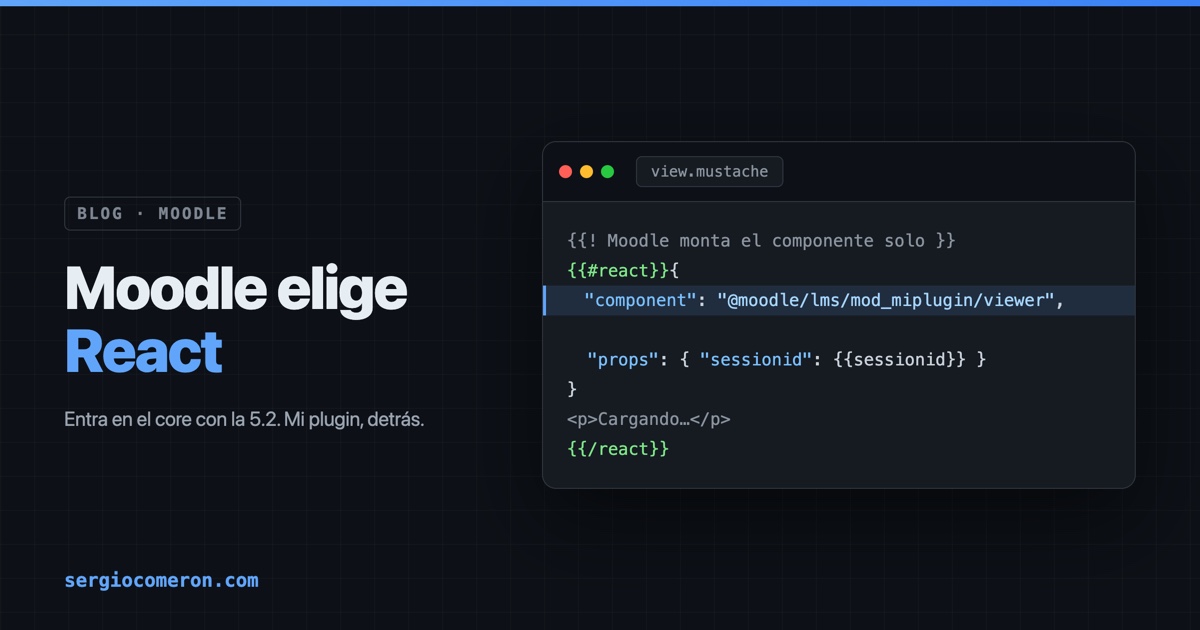
js/esm/src/, written in TypeScript (TSX), and compiles with Moodle’s build (grunt react, which usesesbuildunderneath). The generated bundle ends up injs/esm/build/. - It’s mounted from a Mustache template. You write a block declaring the component and its initial data, and Moodle mounts it on the page on its own:
{{#react}}{
    "component": "@moodle/lms/mod_myplugin/viewer",
    "props": { "sessionid": {{sessionid}} }
}
<p>Loading…</p>
{{/react}}
- React doesn’t bloat your plugin.
reactandreact-domare provided by Moodle itself, so they aren’t bundled into yours. - Data still comes from Web Services, called with
core/ajax. In other words: the refactor I already did —serving data instead of HTML— is exactly the engine React needs underneath. The foundation was in place.
The initial HTML is painted by Mustache (fast, accessible, good for SEO); from there, the React component takes over and only updates what changes.
The honest part
Two things, so I’m not selling smoke:
One, React in Moodle is very recent. It arrives with 5.2, the foundations have only just become genuinely usable, and Moodle itself recommends auditing compatibility before taking anything to production. This is getting on board early, with all the good (you’re ahead) and the awkward (fewer examples, more rough edges) that comes with it.
And two, I haven’t migrated it yet, and I don’t master React yet either. This post is the map, not the war story. I have the foundation (the Web Services), I have the destination (React, because that’s where Moodle is going) and I have to learn the path. The plan: take a small piece of the plugin —not all of it at once— and turn it into a real React component.
To get started, the entry point is the official guide to React in Moodle.
I’ll report back on how it goes —including the stumbles, and with something this new there will be some—. But the big decision is no longer mine: Moodle has chosen React, and the sensible thing is to follow.