Reuse auth_ldap instead of hardcoding LDAP in Moodle
ContenidoContents
I have a custom Moodle plugin, mod_pledge. Its job is simple: before they can take the university’s online exams, students must accept an honor code. If they don’t accept it, they don’t see the exam’s quizzes or activities — no pledge, no exam.
On top of that I added something more: when a student accepts the honor code, I fire a task that generates their exam attendance slip and emails it to them. And that task is exactly the one that one day started failing silently: every run ended with “no document provided” and went into a retry loop (Moodle’s faildelay climbing and climbing). No connection error, no noisy exception. Just slips that never came out.
The root cause wasn’t what it looked like. And the lesson applies to almost any integration.
Why the slip needs LDAP
To fill in the slip you need the student’s ID number (DNI/NIE). That data isn’t in Moodle: it lives in the corporate directory. So, while generating the slip, the task looked it up over LDAP.
Fine so far. The problem was how it looked it up.
The diagnosis
My first reaction was to assume everything was failing. But reviewing the task’s run history I realized some slips were still coming out: it wasn’t a total failure, it was selective. And once I saw the pattern it was obvious: the ones failing were the new students.
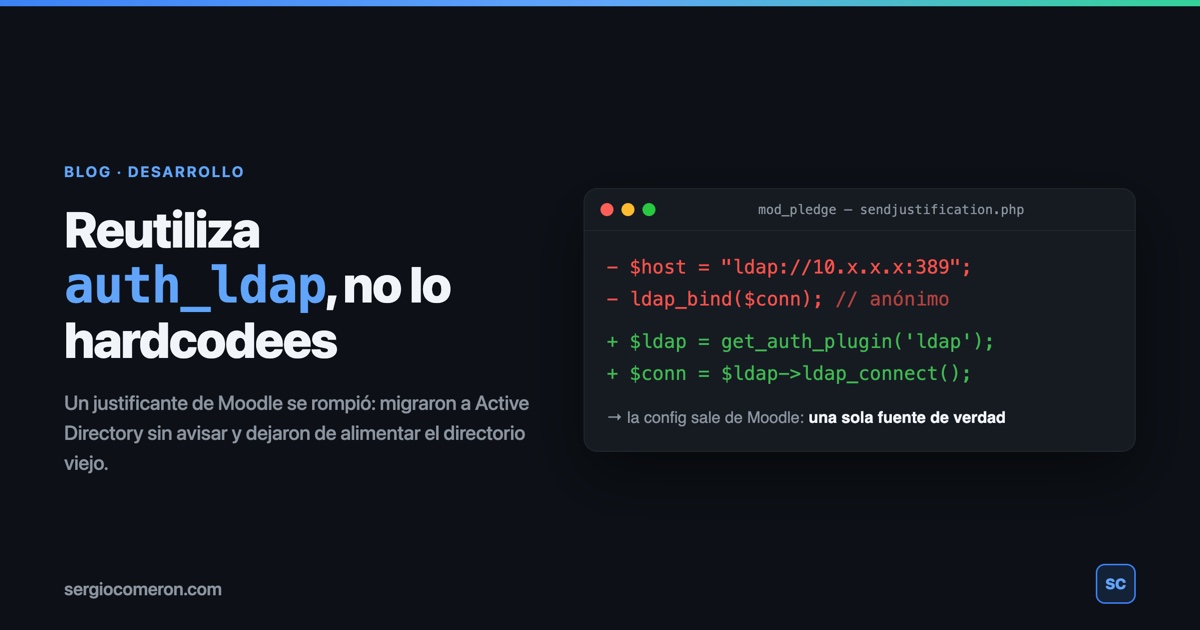
Why? The original code queried an old Oracle Internet Directory (OID) directly, with everything hardcoded: the host IP, the base_dn, the attribute, the filter and an anonymous bind. Something like this:
 1private static function obtener_numdocumento_ldap(string $uid) {
 2    $host      = "ldap://10.x.x.x:389";
 3    $base_dn   = "cn=users,dc=ejemplo,dc=es";
 4    $filtro    = "(uid=$uid)";
 5    $atributos = ["numdocumento"];
 6
 7    $ldapconn = ldap_connect($host);
 8    ldap_set_option($ldapconn, LDAP_OPT_PROTOCOL_VERSION, 3);
 9    ldap_bind($ldapconn); // anonymous bind
10
11    $resultado = ldap_search($ldapconn, $base_dn, $filtro, $atributos);
12    $entradas  = ldap_get_entries($ldapconn, $resultado);
13    // ...
14}
What had happened? The organization had migrated to Active Directory and stopped updating the OID: new users were now only created in the AD, not in the old directory. The treacherous part is that the OID was still answering —that’s why there was no connection error— so my task found the long-standing students but not the newcomers. No document, no slip. Hence some slips came out and others didn’t.
The surface bug was “the directory changed”. But the real bug was different: the host, the base_dn, the attribute and the bind were duplicated by hand inside the plugin… when Moodle already knew how to talk to the new AD. It does so every time someone logs in, through the auth_ldap plugin.
I had the correct configuration right in front of me. I’d just copied it somewhere it had no business being.
The fix: stop reinventing the connection
And here a very real-world constraint kicked in: it was the weekend. The systems team wasn’t going to hand me the new AD’s connection and authentication details (host, service account, password) until Monday. I could wait… or notice the obvious: Moodle already had that connection configured and working, the one auth_ldap uses to authenticate everyone against that same AD. Why ask for credentials Moodle itself already had stored?
So instead of keeping my own LDAP connection, I reuse the one from auth_ldap via get_auth_plugin('ldap'):
 1private static function obtener_numdocumento_ldap(string $username) {
 2    global $CFG;
 3    require_once($CFG->libdir . '/authlib.php');
 4
 5    // Reuse auth_ldap's config (host, bind, version, TLS…).
 6    $authplugin = get_auth_plugin('ldap');
 7
 8    try {
 9        $ldapconn = $authplugin->ldap_connect();
10    } catch (\Exception $e) {
11        debugging("Could not connect/bind to AD: " . $e->getMessage(), DEBUG_DEVELOPER);
12        return null;
13    }
14
15    $userdn = $authplugin->ldap_find_userdn($ldapconn, $username);
16    if (!$userdn) {
17        $authplugin->ldap_close();
18        return null;
19    }
20
21    $atributo  = 'miatributo_documento';
22    $resultado = ldap_read($ldapconn, $userdn, '(objectClass=*)', [$atributo]);
23    if (!$resultado) {
24        $authplugin->ldap_close();
25        return null;
26    }
27
28    $entradas = ldap_get_entries($ldapconn, $resultado);
29    $authplugin->ldap_close();
30
31    if (!empty($entradas[0][$atributo][0])) {
32        return $entradas[0][$atributo][0];
33    }
34    return null;
35}
Four details that matter:
get_auth_plugin('ldap')returns an already-configured instance: host, bind account, password, protocol version and TLS all come from Moodle’s admin settings, not from code.ldap_find_userdn()locates the user’s DN using the sameuser_attributeMoodle uses to log them in. If the student can get into Moodle, their DN is found. Done.ldap_read()on the specific DN instead ofldap_search()over a whole base: it’s cheaper, reads a single object and asks only for the attribute you need.ldap_close()ALWAYS, including on every error branch, so you don’t leave connections hanging.
The lesson
If Moodle —or any framework— already has an integration configured, reuse that configuration instead of duplicating it.
The day the directory host, the service account or the password changes, you don’t touch the plugin code or deploy anything: you change it in one place (the auth_ldap admin settings) and everything else keeps working. In fact, if I’d done it this way from the start, the OID-to-AD migration wouldn’t have broken anything: my task would have followed the new directory on its own.
The bug wasn’t the fault of an IP that changed, but of having written it by hand somewhere it had no reason to be.