New in mod_jitsi: Automatic Server Provisioning on Google Cloud
ContenidoContents
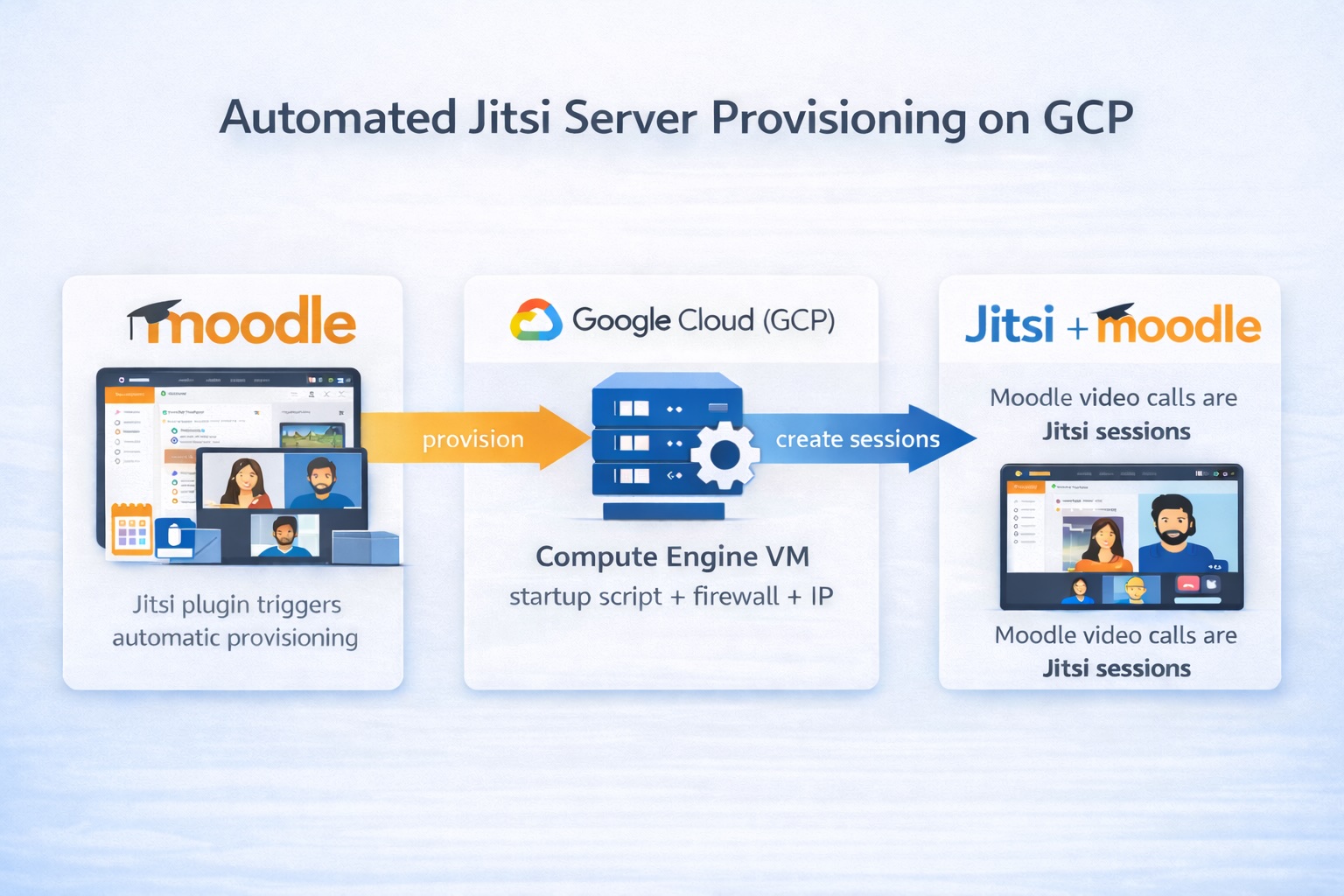
One of the biggest barriers to implementing videoconferencing in Moodle has been infrastructure. With the new version of the mod_jitsi plugin, we’ve revolutionized this by introducing automatic provisioning of Jitsi servers on Google Cloud Platform.
The Problem We Solve
Traditionally, to have your own Jitsi server you needed to:
- Manually configure a Linux server
- Install and configure Jitsi Meet
- Set up SSL with Let’s Encrypt
- Implement JWT authentication for moderator control
- Manage DNS and static IP addresses
- Maintain and scale the infrastructure
All of this required advanced technical knowledge and considerable time. Not anymore.
The Solution: Automatic Provisioning on GCP
With the new BETA feature, you can now create a fully functional Jitsi server with a single click from the Moodle admin interface.
What does the plugin do automatically?
- Provisions a VM on Google Compute Engine with optimal configuration
- Installs Jitsi Meet via automated startup script
- Configures JWT authentication with auto-generated appid and secret
- Reserves a static IP (reuses available IPs to optimize costs)
- Sets up SSL with Let’s Encrypt if you have DNS configured
- Notifies when ready via callback to the Moodle server
The entire process takes 5-10 minutes and is completely automated.
Solution Architecture
Provisioning Flow
The design focuses on visibility and fault recovery:
1. Admin clicks "Create server on Google Cloud"
   ↓
2. A record is IMMEDIATELY created in jitsi_servers
   - provisioningstatus: 'provisioning'
   - provisioningtoken: random 64-character token
   - gcpinstancename, gcpproject, gcpzone
   ↓
3. VM is launched on Google Cloud
   - Startup script installs Jitsi
   - Automatically configures JWT
   - Reserves static IP
   ↓
4. VM sends callback when ready
   - Authentication via provisioningtoken
   - Updates provisioningstatus to 'ready' or 'error'
   - Saves appid, secret, domain
   ↓
5. Server ready to use in Jitsi activities
An important design feature is that the server record is created BEFORE provisioning the VM. This allows:
- ✅ Failed servers are visible in the interface
- ✅ You can see real-time status: ‘provisioning’, ‘ready’ or ’error’
- ✅ Detailed error messages in the
provisioningerrorfield - ✅ Clean up failed VMs directly from Moodle without accessing GCP
Database Schema
The jitsi_servers table has been extended to support GCP:
 1CREATE TABLE mdl_jitsi_servers (
 2    id BIGINT PRIMARY KEY,
 3    domain VARCHAR(255),
 4    type TINYINT,  -- 3 = GCP auto-managed
 5
 6    -- GCP fields
 7    gcpinstancename VARCHAR(255),
 8    gcpstaticipname VARCHAR(255),
 9    gcpproject VARCHAR(255),
10    gcpzone VARCHAR(255),
11
12    -- Status control
13    provisioningstatus VARCHAR(50),  -- 'provisioning', 'ready', 'error'
14    provisioningtoken VARCHAR(255),  -- For callback authentication
15    provisioningerror TEXT,          -- Error messages
16
17    -- Auto-generated JWT
18    appid VARCHAR(255),
19    secret TEXT,
20    ...
21);
Step-by-Step Configuration
1. Prepare Google Cloud Platform
You’ll need:
- An active GCP project
- A service account with the roles:
- Compute Admin
- Service Account User
- The JSON file with service account credentials
2. Configure the Plugin
In Moodle, go to Site administration > Plugins > Activity modules > Jitsi:
1// Required GCP configuration:
2GCP Project ID: your-project-123456
3GCP Zone: europe-west1-b
4GCP Machine Type: e2-medium
5Service Account JSON: [Paste JSON file content]
3. Create a Server
- Go to Server management in plugin settings
- Click “Create server on Google Cloud”
- Wait 5-10 minutes
- The server will appear with ‘ready’ status when complete
4. Use the Server
The created server will be automatically available for all Jitsi activities on the site.
Technical Advantages
Security
- Automatic JWT authentication: Only authorized moderators can start sessions
- Token-based callbacks: VM callbacks use unique per-server tokens
- Secure secrets: JWT keys are auto-generated and stored encrypted
Scalability
- Reusable static IPs: Plugin reuses available IPs to reduce costs
- Multiple servers: Create as many servers as you need
Monitoring
Query servers by status:
 1-- Servers being provisioned
 2SELECT * FROM mdl_jitsi_servers
 3WHERE provisioningstatus = 'provisioning';
 4
 5-- Servers with errors
 6SELECT domain, provisioningerror
 7FROM mdl_jitsi_servers
 8WHERE provisioningstatus = 'error';
 9
10-- Ready servers
11SELECT domain, gcpinstancename, gcpzone
12FROM mdl_jitsi_servers
13WHERE provisioningstatus = 'ready' AND type = 3;
Cost Management
Implemented Optimizations
- IP reuse: Plugin detects unused static IPs and reassigns them
- Flexible machine types: Choose VM size based on your needs
- Automatic cleanup: When deleting a server, the GCP VM is removed and IP is freed for future reuse
Cost Estimation (Europe West 1)
e2-medium VM:
- vCPUs: 2
- RAM: 4 GB
- Cost approx: $24/month (continuous use)

Static IP: $3/month

Total per server: ~$27/month
Tip: Use preemptible VMs for development environments and save up to 80%.
Use Cases
Educational Institutions
- Full control: Your own infrastructure, no third-party limits
- Privacy: Data never leaves your GCP account
- GDPR compliance: Choose European regions (europe-west1, europe-west3)
Corporate Environments
- Branding: Use your own domain (meet.yourcompany.com)
- Integration: Connect with your existing GCP infrastructure
- SLA: Leverage Google Cloud uptime guarantees
Development and Testing
- Ephemeral environments: Easily create and destroy test servers
- Load testing: Provision multiple servers for tests
- CI/CD: Automate testing environment creation
Current Limitations (BETA)
⚠️ This feature is in BETA. Keep in mind:
- Requires basic GCP knowledge
- DNS configuration must be done manually
- Does not include automatic resource monitoring
- Horizontal scaling is manual (no autoscaling)
Next Steps
We’re working on:
- Recording support: Automatically prepare GCP servers to support session recordings
- Autoscaling: Create/destroy VMs based on demand
- Integrated metrics: CPU/RAM monitoring from Moodle
- Multi-region: Geographic distribution of servers
Open Source
All code is available on GitHub. Contributions are welcome.
Key files:
servermanagement.php- Server management and provisioningapi/- Google API Client and GCP logicdb/install.xml- Database schema
Conclusion
Automatic provisioning on GCP represents a qualitative leap in the ease of deploying videoconferencing infrastructure for Moodle. What used to require hours of manual work is now done with a click.
Ready to try it? Clone the repository, configure your GCP project, and create your first Jitsi server in minutes.
If you have questions or need help with configuration, feel free to open an issue on GitHub or contact me directly.
Resources: